

 SEARCH
 diglloydTools™

|

|

|

|

|

$220 SAVE $130 = 37.0% Western Digital 16.0TB Western Digital Ultrastar DC HC550 3.5-in… in Storage: Hard Drives
|

|

|

|

|
Set Finder Preferences

The Finder is what displays your desktop, files and folders.
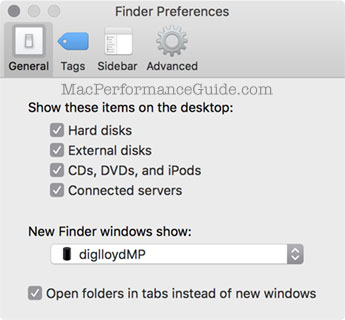
Set the preferences as shown at right.
Drives and volumes of all kinds ought to show up on my desktop; it’s crazy to hide them, because hiding them only makes the landscape hidden, and that is confusing. And for systems with only one volume, what’s the harm anyway? For systems with many volumes, seeing the volumes is essential. So the preference serves only to confuse; it never helps anyone to hide volumes. Your stuff should be tangible so you know where it is, to where you’re saving your files, and what files to backup.
Being connected to a server is directly relevant to weird system hangs and pauses, so select also.
New Finder windows open to the home directory by default, but if storing files elsewhere, it might be a good idea to default to some other location.
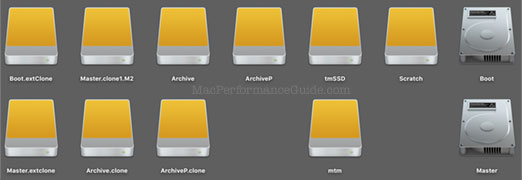
Here are the volumes on my desktop; these won’t be visible unless is checked, as shown above.
Advanced
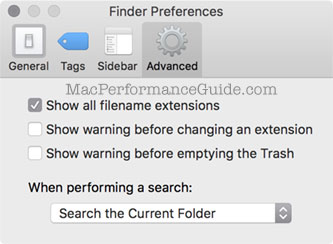
A nanny interface, run amok. File name extensions are not some leftover MS-DOS thing—they are useful. It matters to me whether an image is a JPEG, PDF, NEF, CR2, TIF, APP, etc.
I don't need to be warned when I change a filename extension; the idea here is that you might change it inadvertently, or remove the "." separator by accident. How often does that actually happen? And for important system files, one has to authenticate anyway, so it makes it all a bit silly to have a warning at all.
I’ve already put stuff into the trash, so I don’t need to be warned when I empty it. Besides, I use Time Machine, so it’s no big deal even if I both throw something out and empty the trash.
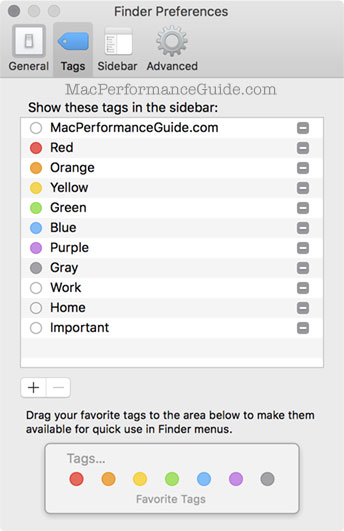
Tags
One of those pretty much useless ideas, but maybe someone uses it.
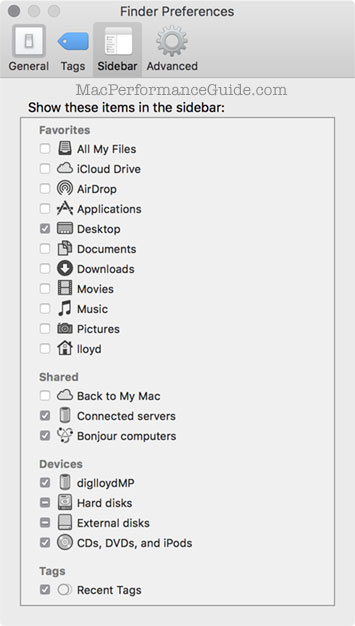
Sidebar
Turn off most of this crapola-it’s a cluttered mess in the sidebar, and little of it has any useful purpose.
Seagate 22TB IronWolf Pro 7200 rpm SATA III 3.5" Internal NAS HDD (CMR)
SAVE $60
