

 SEARCH
 diglloydTools™
Designed for the most demanding needs of photographers and videographers.

Connect and charge all of your devices through a single Thunderbolt or USB-C port.

$220 SAVE $130 = 37.0% Western Digital 16.0TB Western Digital Ultrastar DC HC550 3.5-in… in Storage: Hard Drives
|

|

|

|

|

|

|

|

|

|
Buyer's Guide: MacBook Pro Memory
2009-11-10 updated 2009-06-01 • SEND FEEDBACK • 
Related: How-To, laptop, MacBook, MacBook Pro, memory
Related: How-To, laptop, MacBook, MacBook Pro, memory
See Checking memory use on Mac OS X to understand how memory is used.
The 2011 MacBook Pro accepts up to 16GB memory, which can make a large difference in performance for some users. The 2009 and 1010 MacBook and MacBook Pro are limited to 8GB memory.
For most users, 8GB is enough, and for photo users, 8GB provides a nice bump up in performance over 4GB.
Heavy-duty users can go to 12GB or 16GB.
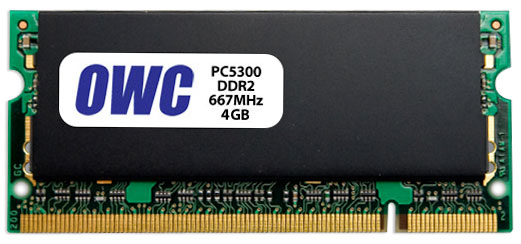
The OWC 4GB memory module for MacBook Pro
View all handpicked deals...
Seagate 22TB IronWolf Pro 7200 rpm SATA III 3.5" Internal NAS HDD (CMR)
$440 $440
SAVE $click
Seagate 22TB IronWolf Pro 7200 rpm SATA III 3.5" Internal NAS HDD (CMR)
SAVE $click
