

 SEARCH
 diglloydTools™
Designed for the most demanding needs of photographers and videographers.

The fastest, toughest, and most compatible portable SSD ever with speeds up to 2800MB/s.

|

|

|

|

|

$220 SAVE $130 = 37.0% Western Digital 16.0TB Western Digital Ultrastar DC HC550 3.5-in… in Storage: Hard Drives
|

|

|

|

|
Column Divider Will Not Size To Fit

Status: still broken in Mac OS X.
Under Mac OS X Lion, clicking the column divider so cause a column to size up to fit the widest entry no longer works (in the Open / Save Dialogs). Additionally, image previews will often not draw.
So one must manually drag the divider. It’s a small thing, but I do this many times a day in the Finder and in Open/Save dialogs, so it adds up to a big hassle. This appears to be a system-wide bug.
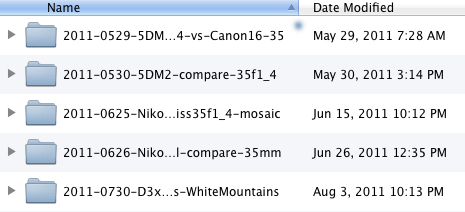
Column dividers cannot be double-clicked so as to size-to-fit the column contents
View all handpicked deals...
Seagate 22TB IronWolf Pro 7200 rpm SATA III 3.5" Internal NAS HDD (CMR)
$500 $440
SAVE $60
Seagate 22TB IronWolf Pro 7200 rpm SATA III 3.5" Internal NAS HDD (CMR)
SAVE $60
