

 SEARCH
 diglloydTools™







Install a 5th Drive Into the Mac Pro

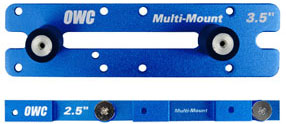
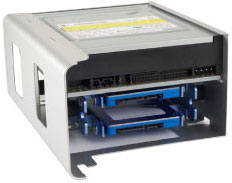
Looking for a way to install a 2.5" or 3.5" drive securely into your MacPro’s lower optical bay? (Good for Windows PCs also).
OWC’s multi-mount drive adapter kit installs smaller form factor (2.5" & 3.5") hard drives and SSDs into larger sized (3.5" & 5.25") drive bays in Mac Pro and PC tower computers.
Most Mac Pros have an empty lower optical bay. Using this kit, you can install an extra (fifth) drive in the bay. If you are willing to remove the optical drive also, then you can install two drives. And if you can figure out a way to get more SATA connectors from a PCIe card, you can install more than that, using 2.5" drives.
On 2006-2008 Mac Pros, there are two spare SATA ports on the motherboard, so these machines can install dual 2.5" drives in the lower optical bay eg dual solid state drives.
My preferred approach is to install a solid state drive as a boot drive, which frees up all 4 standard bays in the Mac Pro for data.
But you can also install a 5th hard drive, such as the Hitachi 7K2000 or Western Digital RE4 2TB.
Of course, the Mac Pro has 4 standard bays, but the MPG Pro Workstation uses all four of those bays for higher performance and reliability.
